Bash Cookbook for Everyone — Part 2
Originally published on Medium.
Bash for Everyone — Part 2
Part-1
Part-2 — Learn Core Unix Commands.
- Working with commands — type, which, help, man, info, whatis, alias
- Exploring the file system commands- ls, pwd, file, more, less
- Manipulating files and directories commands — cp, mv, mkdir, rm
- Redirection Commands — cat, sort, uniq, grep, wc, head, tail
- Permissions Commands — id, cdmod, su, sudo, passwd
- Processes Commands — ps, top, bg, fg, kill, killall, shutdown,
- Environment commands — printenv, set, vim
- Networking Commands — ping, traceroute, dig, ip, netstat, wget, curl, ifconfig etc
- searching of files commands- locate, find,
- text processing commands — cut, sed, awk, parallel
- more commands — clear, history,
3. One-liners
4. References
Learn Basic Unix Commands.
Working with commands
type — Display’s commands type
man type //Type Command manual page
type commands
which — Display which program will be executed.
man which //Which command manual pwhich ls
help — Get help
help
help cd
mkdir --help
man — Display manual pages
🔎Julia Evans🔍 on Twitter
man pages = awesome
info — Display commands info entry
man info
info coreutils
whatis — very brief description of the command.
man whatis
whatis ls
alias — Create an alias for a command.
alias l.='ls -d .* --color=tty'alias ll='ls -l --color=tty'alias ls='ls --color=tty'unalias which //removing alias
Exploring the file system Commands.
ls — list directory contents
man ls
Useful ls Commands
ls -lt --reversels
ls -li
ls > list.txt
ls -l
LC_ALL=C ls
ls -l "some_file"
exa · a modern replacement for ls
lsof — list open files
🔎Julia Evans🔍 on Twitter
lsof
pwd — Return working directory name.
man pwd
file — Determine file types
man file
file filename
more — file perusal filter for crt viewing
man more
less — View file content
🔎Julia Evans🔍 on Twitter
less
Manipulating files and directories Commands.
cp — copy files and directories.
Clément Chastagnol ~ Moving efficiently in the CLI
man cp
cp file.html /usr/local/bin
mv — move and rename files and directories.
man mv
mv file.html /usr/localbin //moving files
mv file.html file2.html //renaming files.
mkdir — create directories
man mkdir
mkdir somedirectorymkdir dir1 dir2 dir3
rm — remove files and directories
Caution: Be careful with rm
man rm
rm file.txt
rm -i //interective - if this option is not defined, rm will delete files silently.
rm -r //recursive recursively delete directories.
rm -f //force delete.
rm -v //Display informative messages.
rm -rf file1 dir1 //if nither file1 or dir1 exists rm will countinue silently.
Redirection Commands
Redirection makes it possible to control where the output of command goes to, and where the input of command comes from.
stdin - standard input stream (eg- keyboard)stdout - standard output stream (eg- monitor)stderr - standard error output.
# Below cat-command will execute and redirect its error to (stderr) #to the bit bucket
cat file.txt 2>/dev/null
# below echo-command will execute and redirect its normal outout (stdout).
echo "there was an error" 1>&2
cat — concatenate files
man cat #Manual page
cat 1.txt 2.txt > new.txtcat >new.txt 1.txt 2.txt>new.txt cat 1.txt 2.txt
sort — Sort or merge records (lines) of text and binary files.
🔎Julia Evans🔍 on Twitter
sort & uniq
man sort
cat -n file.txt // file cat with no of lines.
cat company_ip | sort -t . -k 1,1n -k 2,2n -k 3,3n -k 4,4n ipaddr.list

Wow, that’s ugly. Here it is in the old format:
cat company_ip | sort -t. +0n -1 +1n -2 +2n -3 +3n -
uniq — report or omit repeated lines
man uniq
grep — print matching a pattern
🔎Julia Evans🔍 on Twitter
grep
man grep
grep root /etc/passwd
grep -n root /etc/passwd
grep -v bash /etc/passwd | grep -v nologin
grep -c false /etc/passwd
grep -i ps ~/.bash* | grep -v history
wc — print newline, word, and byte count for each file
man wc
head — output first part of the file
tail — output last part of the file
🔎Julia Evans🔍 on Twitter
head & tail
Permissions Commands
id — Display user identity
man id
chmod — change a file’s mode
man chmod
chmod u+x script.sh
chmod +x script.sh
su — Substitute user identity or run the shell as another user
man su
sudo — Execute a shell as another user
man sudo
passwd — Modify a user’s password
man passwd
Processes Commands
ps — Report current processes
🔎Julia Evans🔍 on Twitter
ps
ps x
ps aux
ps -ef
ps -ef | grep stuck_process
kill -9 5607
When a process starts up several instances, killall might be easier. It takes the same option as the kill command but applies on all instances of a given process.
top — Display task
🔎Julia Evans🔍 on Twitter
top
bg — put a job in the background
fg — put a job in the foreground
kill — send a signal to a process
🔎Julia Evans🔍 on Twitter
kill
killall — kill processes by name
Environment commands
printenv — print all or part of the environment
Env and printenv commands used to display the environment variable.
printenv or env
man printenv
printenv | less
printenv USER
set — set shell options
set | less
set -o // display all shell options
Vim — Vi IMproved. a programmer’s text editor.
man vim
Benefits of using vim
vim is always available & vim is lightweight and fast
vi filname-txt
Enter "i" to edit
:q to exit and save
:q! to force exit and save
o - The line below the current line.
O - The line above the current line.
- The Vim Learning Curve is a Myth
- Upcase : Onramp to Vim | Online Tutorial by thoughtbot
- Vim for humans
if interested. good read
Networking Commands —
Important networking files within the local machine.
- /etc/hosts — Name to the Ip address
- /etc/networks — Network name to the IP address
- /etc/protocol — Protocol name to the Protocol number.
- /etc/services — TCP/UDP names to the port number.
🔎Julia Evans🔍 on Twitter
goodness there are a lot of networking tools to know about :D
ping — Send an ICMP ECHO_REQUEST to network hosts
man ping
traceroute — Print the route packets trace to a network host, Route taken by packets to a specific Ip Address.
man traceroute
Dig — DNS lookuup Utility
🔎Julia Evans🔍 on Twitter
dig
netstat — Show network status, what connection is active between the local machine and another network machine.
man netstat
netstat -ie
netstat -r
netcat — Netcat is a simple Unix utility which reads and writes data across network connections,
🔎Julia Evans🔍 on Twitter
netcat
Iptable — administration tool for IPv4/IPv6 packet filtering and NAT
🔎Julia Evans🔍 on Twitter
iptables
IP — IP is the transport layer protocol used by the Internet protocol family.
🔎Julia Evans🔍 on Twitter
the ip command
SSH — Secure Shell
22 SSH Examples, Practical Tips & Tunnels | HackerTarget.com
wget — The non-interactive network downloader.
man wget
curl — tranfer a URL
man curl
Getting subdomains from curl using certspotter.com
curl -s https://certspotter.com/api/v0/certs\?domain\=deliveroo.co.uk | jq '.[].dns_names[]' | sed 's/\*\.//g' | tr -d "\"" | sort -u
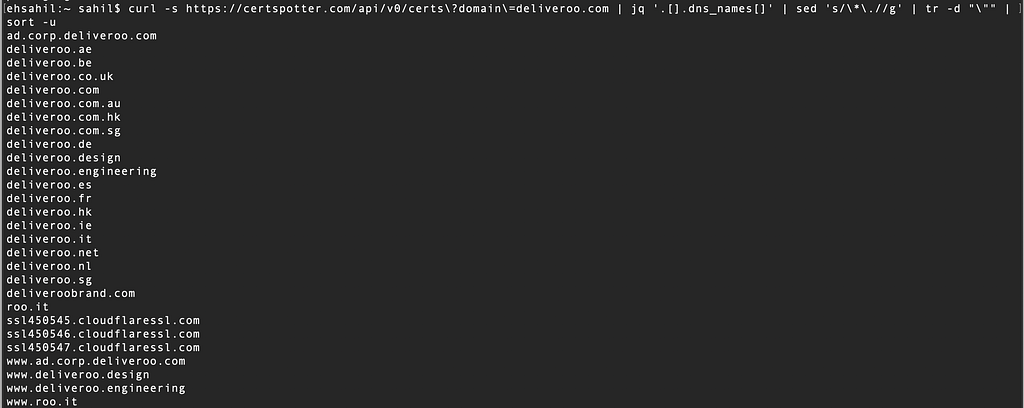
Cool bash_profile by Behrouz Sadeghipour
you can add the recon_profile in bash_profile present in the root directory.
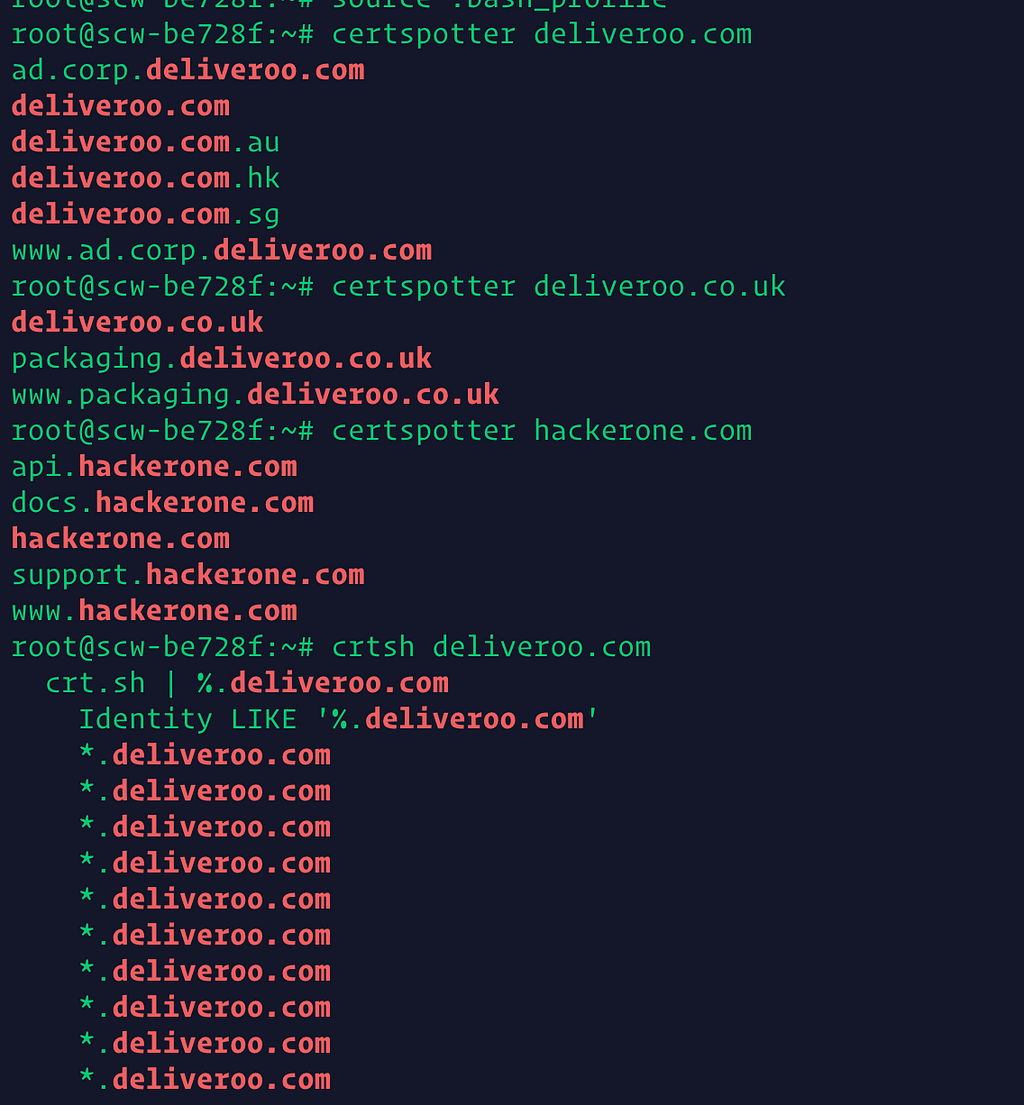
you can also customize it according to your need.
Searching for files commands —
locate — locate the file by name
man locate
locate bin/ziplocate zip | grep bin
find — search for filesman find
🔎Julia Evans🔍 on Twitter
find
find ~find ~ | wc -lfind ~ -type d | wc -l
find ~ -type f | wc -lfind ~ -type f -name "*.JPG" -size +1M | wc -l 840
text processing commands,
cut — cut out a selected portion of each line of a file.
man cut
sed — Stream Editor is used to perform basic transformation on read text from a file or a pipe. sed is also sometimes known as bash editor.
🔎Julia Evans🔍 on Twitter
sed
http://www.pement.org/sed/sed1line.txt
awk — pattern-directed scanning and processing language
🔎Julia Evans🔍 on Twitter
awk
AWK: Effective AWK Programming: A User’s Guide for GNU Awk
the basic function of awk is to search files for lines or other text unit text containing one or more pattern. when a line matches one of the patterns, special action is performed on that line.
awk 'EXPRESSION { PROGRAM }' file(s)
The variables $1, $2, $3, …, $N hold the values of the first, second, third until the last field of an input line. The variable $0 (zero) holds the value of the entire line.
man awk
ls -l | awk '{ print $5 $9 }'
history | awk 'BEGIN {FS="[ \t]+|\\|"} {print $3}' | sort | uniq -c | sort -nr | head
Remove duplicate lines: awk '!a[$0]++'
Parallel —
We can use the parallel command to resolve the multiple javascript URLs present in a text file.
we can use TomNomNom way back URL to get javascript files URLs.
waybackurls deliveroo.com | grep ".js" > deliveroo-js.txt
cat deliveroo-js.txt | parallel -j50 -q curl -w 'Status:%{http_code}\t Size:%{size_download}\t %{url_effective}\n' -o /dev/null -sk
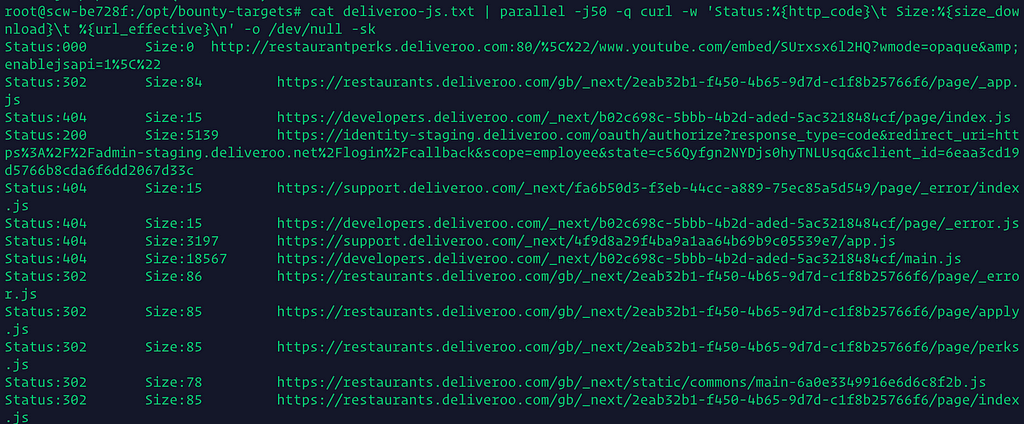
Thanks to Bharat from Appsecco.
More commands
clear — clear the terminal screen.
man clear
History — Display the content of the history list
histroy | less
!88 - bash will expand “!88” into the contents of the 88th line in the history list
!! - Repeat the last command
Display most used commands
history | awk 'BEGIN {FS="[ \t]+|\\|"} {print $3}' | sort | uniq -c | sort -nr | head
Git — the stupid content tracker
Git is a fast, scalable, distributed revision control system with an unusually rich command set that provides both
high-level operations and full access to internals.
One-Liners
🔎Julia Evans🔍 on Twitter
some stuff about networking notation
🔎Julia Evans🔍 on Twitter
networking concepts (do you know a good reference to learn this stuff?)
ASN — An autonomous system number (ASN) is a unique number assigned to an autonomous system (AS) by the Internet Assigned Numbers Authority (IANA).
ASN Example : - AS63086
CIDR(Classless Inter-Domain Routing or supernetting ) — is a way to allow more flexible allocation of Internet Protocol (IP) addresses than was possible with the original system of IP address classes.
A CIDR network address looks like this under IPv4:
192.30.250.00/18
https://www.cidr-report.org/as2.0/autnums.html
Get CIDR from ASN numbers.
whois -h whois.radb.net -- '-i origin AS63086' | grep -Eo "([0-9.]+){4}/[0-9]+" | head

CIDR to IP addresses using nmap
nmap -sL 104.36.192.0/24 | grep "Nmap scan report" | awk '{print $NF}'
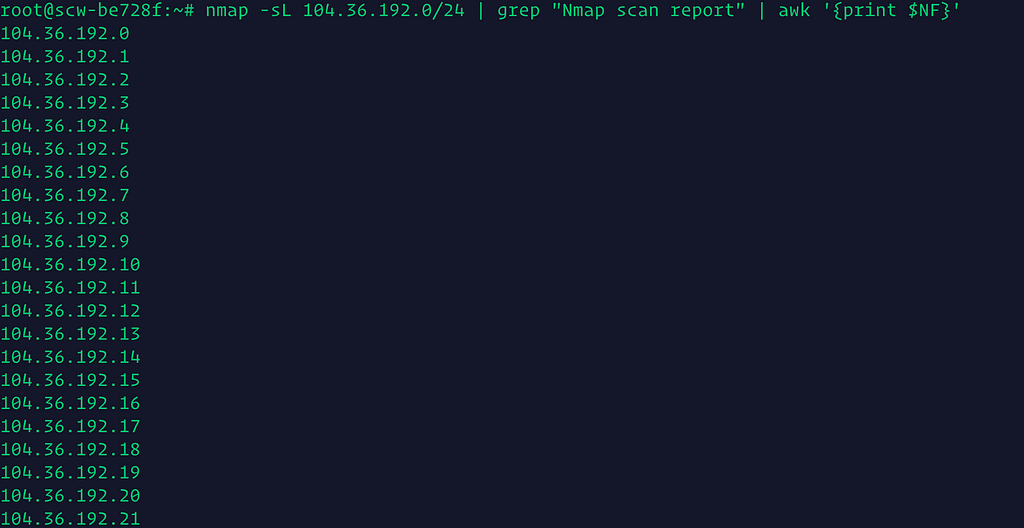
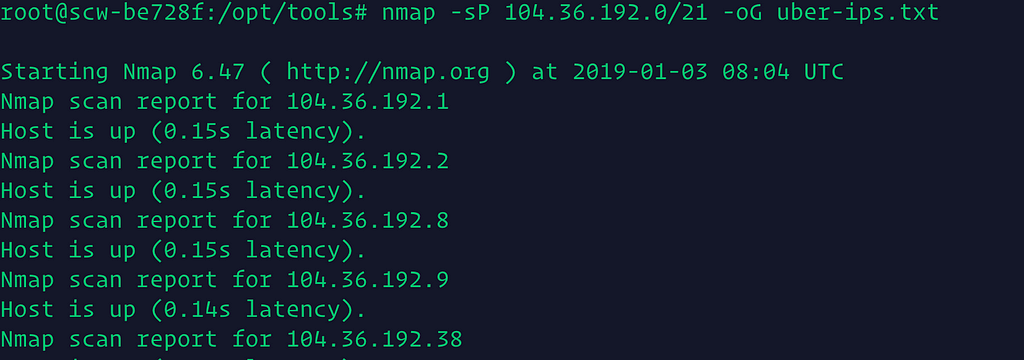
Finding Up hosts using NMAP.
nmap -sP 104.36.192.0/21 -oG uber-ips.txt
Grep fro UP hosts only.
cat uber-ips.txt | grep Up | cut -d" " -f2
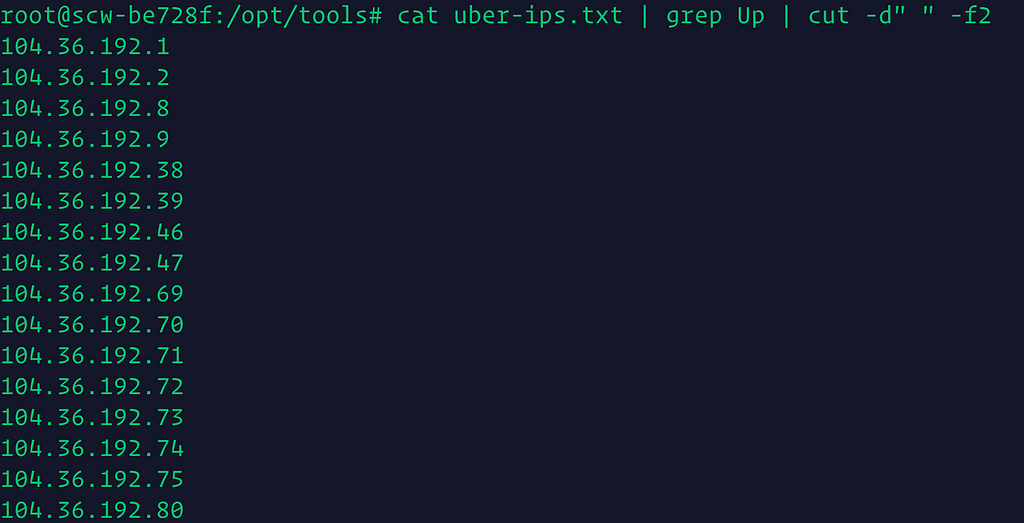
Saving UP hosts as uber-up-hosts.txt
Running masscan on uber-up-hosts.txt
masscan -iL uber-up-hosts.txt -p80,443,8080,8000,9000,8888,9999 --rate 10000 --open

Find your IP address using the command line:
/sbin/ifconfig -a | awk '/(cast)/ { print $2 }' | cut -d':' -f2 | head -1
Pulling IP address from a file.
grep -E -o '[0-9]{1,3}\.[0-9]{1,3}\.[0-9]{1,3}\.[0-9]{1,3}'
Subdomains from hacker target
curl -s https://api.hackertarget.com/hostsearch/?q=deliveroo.com | cut -d',' -f1 | sort -u

Subdomains from Threatcrowd
curl -s https://www.threatcrowd.org/searchApi/v2/domain/report/?domain=deliveroo.com | jq -r '.subdomains | .[]' | sort -u

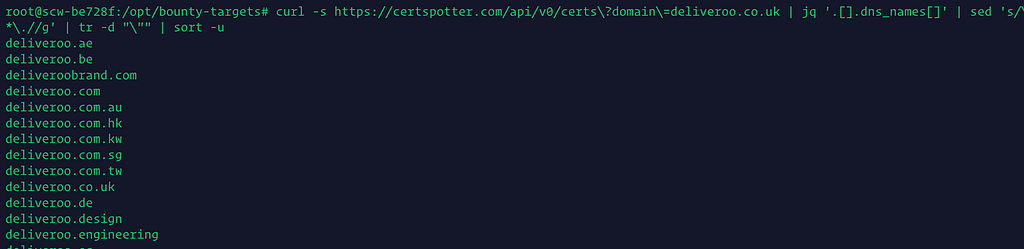
Subdomains from Certspotter
curl -s https://certspotter.com/api/v0/certs\?domain\=deliveroo.co.uk | jq '.[].dns_names[]' | sed 's/\*\.//g' | tr -d "\"" | sort -u
Subdomain from crt.sh
curl -s https://crt.sh/?q=%.hackerone.com | sed '/crt/d' | sed 's/<\/\?[^>]\+>//g' | tr -d ' ' | sed 's/ */ /g' | sed 's/\*\.//g' | sed 's/\%\.//g' | sed -e '1,2d' | sort -u | uniq | grep hackerone | sed '/IdentityLIKE/d'

subdomains from Archive.
curl -s "http://web.archive.org/cdx/search/cdx?url=*.hackerone.com/*&output=text&fl=original&collapse=urlkey" |sort| sed -e 's_https*://__' -e "s/\/.*//" -e 's/:.*//' -e 's/^www\.//' | sort -u
cat deliveroo-domains.txt | filter-resolved > deliveroo-domains-resolved.txt

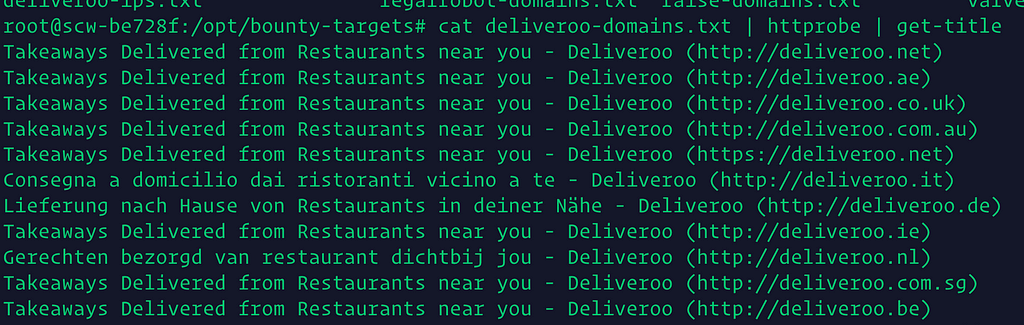
fetch titles of the subdomains from a list using httprobeand get-title
cat deliveroo-domains.txt | httprobe | get-title
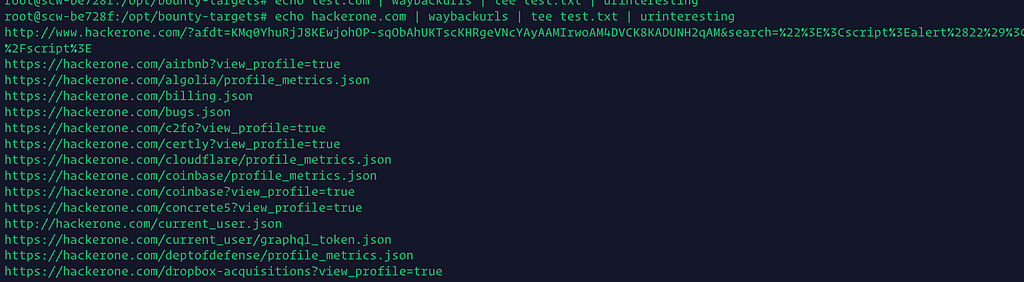
Fetching interesting URL from waybackmachine
echo hackerone.com | waybackurls | tee test.txt | urinteresting
Subdomain from SSL certificates.
true | openssl s_client -connect hackerone.com:443 2> /dev/null | openssl x509 -noout -text 2> /dev/null | grep DNS: | sed 's/ DNS://g' | sed 's/ //g' | sed 's/,/\'$'\n/g'

- bash,pentesting one-liners and stuff
- Command Line for the 21. Century: The Low Hanging Fruit
- 10 Linux Commands That Will Save Your Time - Azer Koçulu's Journal
Command line basic shortcuts
ctrl + a - move cursor to the begining of the linectrl + e - move cursor to the end of the line. Alt+f - move one word forwardAlt+b Move cursor one work backwordctrl+l- clear the clean (clear command alternative)
Become a Command Line Ninja With These Time-Saving Shortcuts
Personal Aliases —
these are the only tip of the iceberg,
more one-liners?
References
Thanks to all of the following peoples for creating awesome content.
Bash Cookbook by Carl Albing, JP Vossen, and Cameron Newham
The Linux Command Line by William Shott
Penetration Testing with the Bash Shell by Keith Makan
- Bash tips for everyday at the command line
- Terminals Are Sexy
- Bash Scripting 101 for Pen Testers Hack3rcon 3 (Hacking Illustrated Series InfoSec Tutorial Videos)
- Shell startup scripts - flowblok's blog
- Unix tool tip (@UnixToolTip) | Twitter
- Penetration Testing with the Bash shell
- Bash-it/bash-it
- The Bash Hackers Wiki [Bash Hackers Wiki]
- Advanced Bash-Scripting Guide
- Bash Guide for Beginners
- uno: a uniq like CLI tool for log data | Unomaly
- Learn Bash the Hard Way
- zwischenzugs
- offensive Infosec Blog